Diwali AI Video Prompts: Six Warm Greeting Scenes with Diyas and Light
Explore Diwali AI video prompts for glowing diyas, festive tables, and personal greetings, with thoughtful visual details and clear animation directions to try.
Quick Summary
Diwali AI video prompts can build a greeting around warm light, thoughtful decoration, and a personal message. These six original scenes include restrained movement, useful camera directions, and checks for creating a readable finished video.
Plan the Audience and Local Date
Choose whether the message is for family, friends, customers, or an event. A personal greeting may use a familiar photograph; a business message may need a simple background with space for a logo and checked wording.
India Post's 2026 holiday list places Diwali on November 8. Confirm the local observance date for your audience before scheduling the greeting. India Post holiday calendar
Use visual details that fit the intended recipients. If you are unsure about a specific ceremonial practice, choose a simpler decorative scene rather than inventing its meaning. The examples below focus on lamps, flowers, home settings, and personal photographs.
Key Takeaways
- Confirm the audience and relevant date.
- Choose one clear visual focal point.
- Animate light or a small environmental movement first.
- Preserve faces and decorative patterns when using photographs.
- Add exact names and greetings in an editor.
Six Diwali AI Video Prompts
1. Diyas on a brass tray
Several clay diyas rest on a brass tray surrounded by marigold petals. Their small flames move gently, casting warm reflections on the metal. The camera makes a slow, short approach toward the center, keeping the lamps and petals in their original positions.
Best for: A warm opening.
Review: Flame placement, lamp shape, and reflections on the tray.
2. A floral arrangement
A colorful floral arrangement decorates the floor beside a warmly lit doorway. Small diyas glow along its edge. The camera stays above the arrangement at a gentle angle while the flames move softly, preserving the pattern and leaving the upper frame visually simple.
Best for: A decorative greeting background.
Review: The arrangement retains its structure throughout the clip.
3. A welcoming entrance
A home entrance is decorated with flowers and warm lanterns. The door remains closed while a soft breeze moves the hanging decorations slightly. The camera makes a short approach along the center, ending with the doorway clearly visible.
Best for: An invitation or home greeting.
Review: Stable door geometry and consistent decoration positions.
4. A festive table
A carefully arranged table holds a tray of sweets, flowers, and glowing diyas. The camera moves slowly across one side of the setting under warm indoor light. The dishes, lamps, and decorations maintain their shapes and positions throughout the movement.
Best for: A hospitality-themed scene.
Review: Food and tableware stay recognizable rather than merging.
5. A personal photograph
Preserve the people and setting in the reference photograph. Introduce only subtle movement in the surrounding decorative lights and a gentle change in their glow. Keep the camera fixed and the people's faces, clothing, expressions, and positions stable throughout.
Best for: A personal greeting.
Review: Identity and clothing continuity at the beginning, middle, and end.
6. A minimal light background
Three clay diyas sit along the lower edge of a softly textured warm background. Their flames move gently while the camera stays fixed. The central and upper areas remain visually quiet, providing space for a greeting added later.
Best for: A message-led video.
Review: The text area stays clear and the flames remain attached to the lamps.
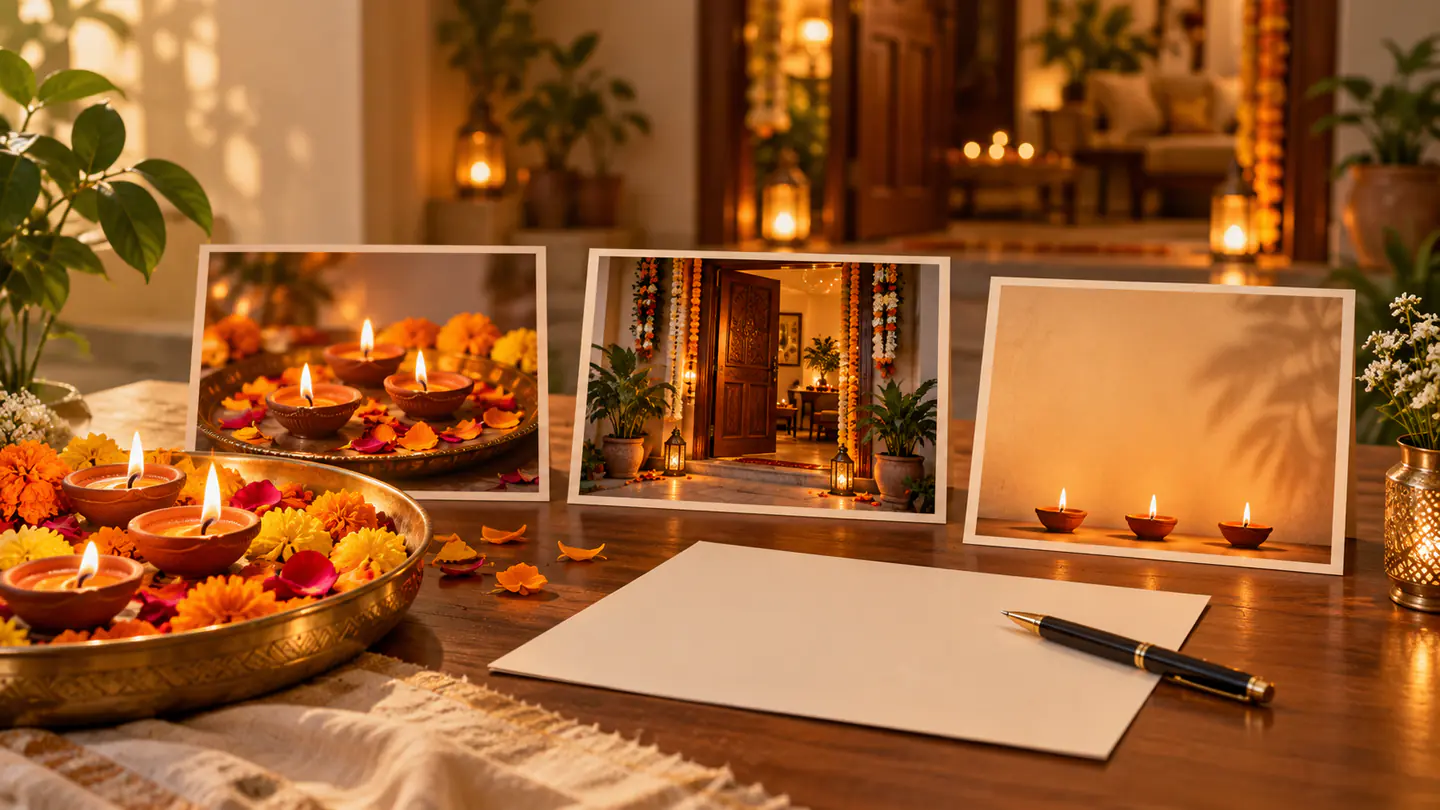
Create a Diwali Video from Photo References
- Select the photograph. Choose a readable composition with the main subject unobstructed.
- Write the movement. A diya animation prompt may simply ask for gentle flame movement while the lamp and flowers stay in place.
- Check the model. Explore the scene in Pitovee's video workspace, using the reference inputs and controls supported by the selected model.
- Inspect a candidate. Review faces, lamps, flowers, and patterns before adding further action.
Keep the first camera direction fixed when detailed arrangements or people are central. Introduce a small movement after the underlying scene remains coherent.
The prompts are proposed starting points, not tested outputs. Save the accepted reference and instructions so revisions preserve the greeting's direction.
Finish a Greeting With Accurate Text
For a Diwali greeting video, AI can provide the moving background while editable text carries the actual message.
Add the recipient's name, greeting, and event details in an editor. Check spelling and the script used for the audience. If the message uses a language you do not read confidently, have the wording checked by someone who does.
Place the text after viewing the actual clip. Bright lamps can reduce contrast, and moving decorations may distract from a long line.
Preview at normal speed and at the intended viewing size. The message needs enough time to read without pausing. Choose sound that supports the setting, and keep it from overwhelming a quiet visual scene.
FAQ
Can I animate my own Diwali photograph?
You can try when the selected model supports reference images. Begin with restrained motion and inspect identity and decorations.
Should the generator create the greeting text?
Adding exact wording in an editor gives you direct control over spelling, timing, and readability.
Is November 8 the date to use for every audience?
Use the verified India date where relevant and confirm the local calendar for the intended recipients.
Conclusion
Diwali AI video prompts are most useful when a clear visual setting supports a thoughtful message. Animate light gently, preserve the important details, and add accurate wording through an editable workflow. Finish with a review of the greeting as the audience will see it.
Related articles
Plan Black Friday video ad prompts around product reveals, gift sets, and mobile ads, then add accurate prices, sale dates, and clear offer text during editing.
AI Video Extension Tutorial: Continue Your Scene with Pitovee AILearn how to extend a video in Pitovee AI: choose an eligible library clip, write a continuation prompt, check the settings, and review the join between scenes.
Introducing Pitovee AI: An AI Image to Video Generator for CreatorsExplore Pitovee AI, an AI image-to-video generator for creative projects. Discover its image tools, credits, and useful ways to get your first idea moving.