AI Camera Movement Prompts: Control Pans, Orbits, and Dolly Zooms
Write AI camera movement prompts that describe the shot clearly, distinguish pans from tracking, and help you test orbits, push-ins, and dolly zoom effects.
Quick Summary
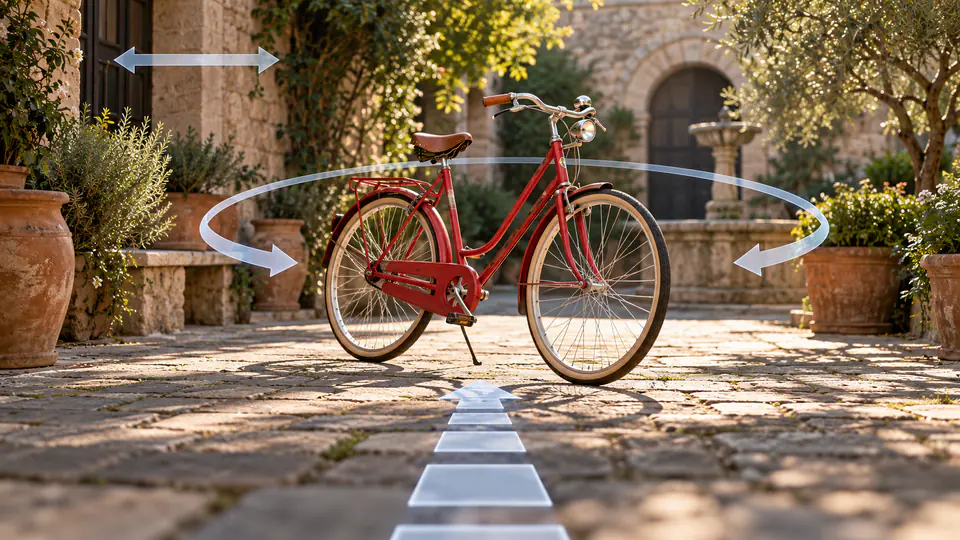
AI camera movement prompts explain how the viewer's position changes during a shot. This tutorial turns a visual purpose into a starting view, a manageable path, and a useful endpoint, with original examples you can adapt and review.
Why Camera Words Need a Visual Purpose
A camera move should help the audience notice something. A pan can reveal a nearby subject; an approach can focus attention on a detail; an orbit can introduce another viewpoint.
Decide what the move contributes before choosing its name. For a bicycle in a courtyard, a short approach may highlight the saddle. A pan may reveal the garden gate. An orbit asks for a changing view of the bicycle's structure.
“Make it cinematic” describes an impression but leaves the path unclear. A direction with a destination gives you a more specific way to judge the generated shot.
Key Takeaways
- Choose the movement that supports the scene's purpose.
- Distinguish camera rotation from camera travel.
- State the starting view and the endpoint.
- Begin with one movement.
- Review new surfaces and background geometry carefully.
Know the Camera Terms Before Prompting
A pan rotates horizontally from a position; a tilt rotates vertically. A push-in approaches the subject. A tracking move changes position while following the subject, and an orbit travels around it.
A dolly zoom combines camera travel with an opposing zoom adjustment, roughly preserving subject size while the background perspective changes. Generated motion may approximate the effect rather than reproduce exact physical optics. Adobe's dolly zoom guide
Runway's camera guide provides the other camera terms and illustrated examples for its workflows. Runway camera terms
Use the term to clarify the intended shot, then inspect what the model actually produces.
Write AI Camera Movement Prompts in Four Steps
1. Define the purpose
Complete the sentence: “The camera moves so the viewer can see ______.”
Choose a reveal, a detail, a changing perspective, or a relationship between subjects. If the movement has no clear purpose, test a fixed shot first.
2. Establish the starting view
Describe what is visible at the beginning. The whole bicycle, a close view of the saddle, and a courtyard doorway are different starting compositions.
Match this view to the reference image where one is used.
3. Describe one manageable path
Specify direction and scale: a short approach, a gentle quarter-circle, or a slow pan to the right.
Large movement can require the model to reveal information not shown in the reference. A smaller path provides a useful initial test when you only have one source image.
4. Identify the endpoint
Say where the shot ends and what remains visible. “End on the garden gate” is more actionable than “continue smoothly.”
You can explore the scene in Pitovee's AI video workspace, checking the selected model's inputs and controls. Do not assume a dedicated camera setting is present.
Five Original Camera Prompt Examples
A pan that reveals the next subject
The camera begins on the bicycle beside the doorway and pans slowly to the right, ending on the open garden gate. The camera stays in the same position while rotating horizontally. The bicycle and courtyard architecture retain their positions.
Use this AI camera pan prompt for a reveal. Review whether the result rotates the view or instead moves the camera sideways.
A limited orbit
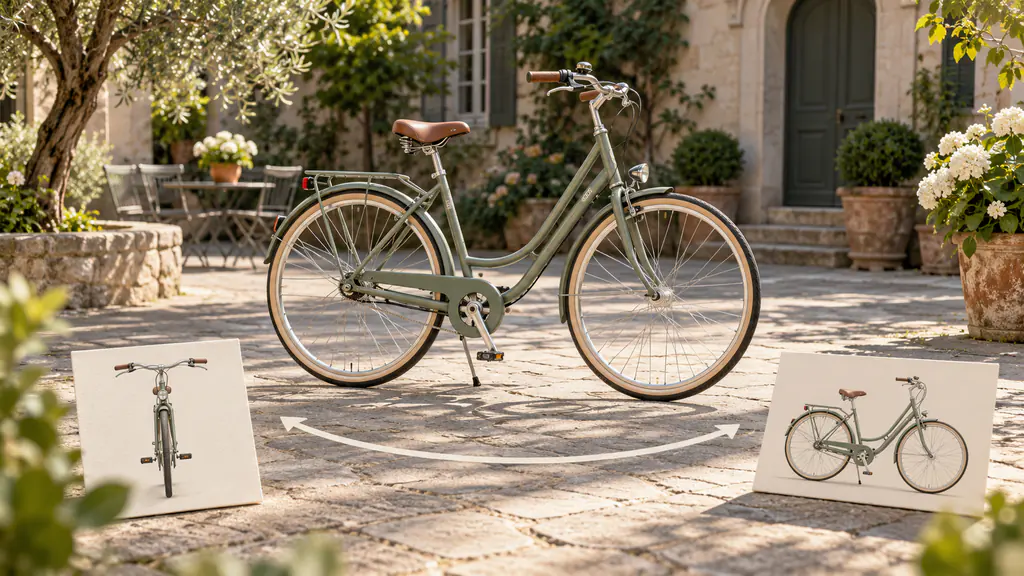
The camera makes a gentle quarter-circle movement around the stationary bicycle, traveling from the front-left view toward a side view. The movement stays slow and level. The bicycle remains grounded in the courtyard throughout.
This AI camera orbit prompt introduces a different perspective. Inspect newly revealed wheels, frame joints, and background surfaces.
A push toward a detail
Begin with the whole bicycle visible. The camera moves slowly toward the leather saddle, keeping it near the center and ending in a medium detail view. The bicycle remains stationary, with a coherent frame and courtyard.
Use the endpoint to keep the movement from traveling beyond the useful detail.
A tracking relationship
The cyclist rides slowly toward the garden gate. The camera tracks beside the bicycle at a matching pace, maintaining a steady side view. The rider, bicycle, and gate remain recognizable throughout the short movement.
Because both subject and camera move, review their relationship. A fixed subject with the same camera path can provide a simpler preliminary test.
A dolly zoom effect
The camera moves backward from the person in the courtyard while the framing adjusts to keep the person approximately the same size. The background changes gradually in perspective, creating a restrained sense of unease.
Treat this AI dolly zoom prompt as a creative test. Check the person's proportions and background coherence rather than assuming physically exact lens behavior.
Review Camera Behavior and Scene Geometry
Watch the generated shot at normal speed, then inspect the beginning and end. Did it start in the right place, travel in the intended direction, and reach the destination?
Look at the frame edges and newly visible surfaces. They may expose shape changes that are less obvious near the center.
Separate camera behavior from subject action. If the model follows a moving cyclist poorly, test the camera with a stationary bicycle first. This gives the next attempt a narrower question.
Save the prompt with a note about the actual path. Build your own reviewed shot examples around the subjects and styles you use.
FAQ
Is a pan the same as moving sideways?
No. A pan rotates the camera; a sideways movement changes its position.
Can I combine camera movements?
You can experiment, but one clear move is easier to evaluate and refine at first.
Will a dolly zoom be physically exact?
Not necessarily. Inspect perspective and proportions as part of the creative evaluation.
Conclusion
Effective AI camera movement prompts connect a path to a visual purpose. Define the starting view, describe one manageable move, and specify the endpoint. Select the result that communicates the scene clearly and preserves the details your audience needs to see.
Related articles
Create AI ASMR prompts for crystal fruit, soft textures, and impossible foods, with one action, camera, and audio directions you can refine after each attempt.
Halloween AI Video Prompts: Six Spooky Scenes to Create This OctoberExplore Halloween AI video prompts for haunted gardens, ghostly rooms, and quiet suspense, with camera directions and practical checks for each original scene.
AI Video Character Consistency: Keep One Character Across Your ScenesBuild AI video character consistency with clear references, a simple character sheet, scene planning, and careful checks before you edit your clips together.