AI YouTube Shorts Tutorial: Create Vertical Videos from Your Images
Use this AI YouTube Shorts tutorial to plan a vertical story, animate reference images, edit clear captions, and check the finished video before uploading it.
Quick Summary
This AI YouTube Shorts tutorial shows how to turn a small set of images into a connected vertical story. Plan an opening, a visible development, and a finish, then animate separate scenes and assemble them with readable captions.
Why a Short Needs a Story Before Motion
Three related shots give the audience something to follow. A collection of attractive clips can feel disconnected when the subject, setting, and purpose change without explanation.
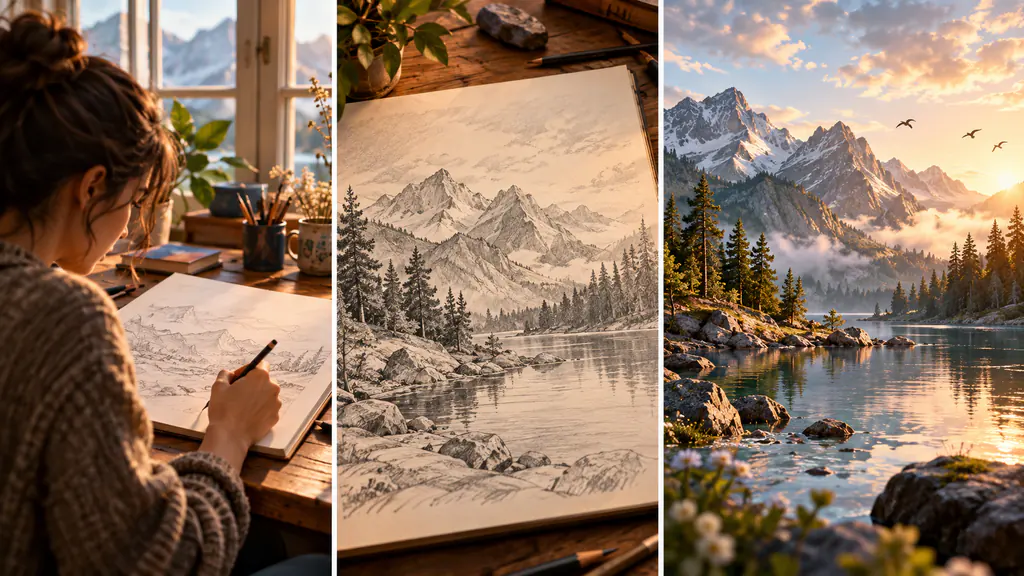
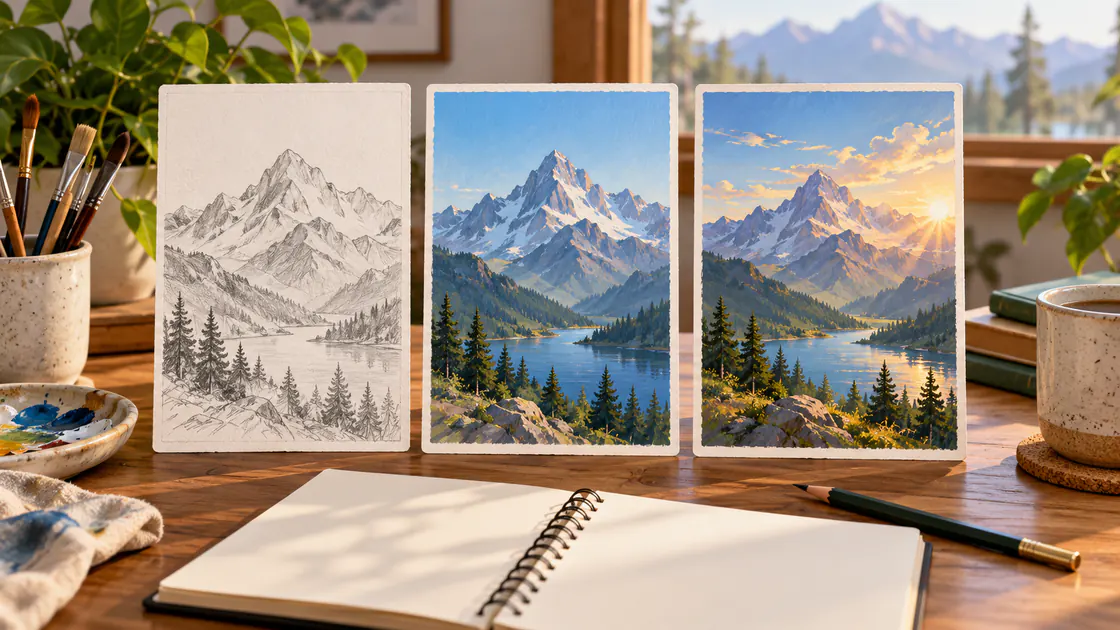
For example, a mountain illustration can become a simple story: first the sketch on a desk, then the finished painting, then clouds moving across the painted landscape. Each scene develops the same idea.
Write one sentence describing each shot. If a transition changes several important elements at once, explain the connection visually or simplify it. This planning makes it easier to create YouTube Shorts with AI because every generation has a defined role.
Key Takeaways
- Plan one visual idea with a clear beginning and ending.
- Prepare compositions for the intended tall frame.
- Animate the shots separately.
- Add exact captions and chosen audio in an editor.
- Preview the final export on a phone.
Prepare the Images and Vertical AI Video Format
You need the scene references, a suitable video-generation model, and an editor for the final sequence. Keep the reference images compatible in style and color.
YouTube's current guidance classifies eligible square or vertical videos up to three minutes as Shorts under its stated upload-date rules. For standard channels, the relevant classification applies to uploads on or after October 15, 2024. Use the applicable rules for your channel rather than assuming every upload is handled identically. YouTube Shorts guidance
The maximum is an allowance, not a target. Choose a length that suits the story.
For vertical AI video, compose the source so important details stay visible in a tall frame. Leave room around the focal point for captions and the viewing interface. If the model lacks the framing option you need, assess whether a planned crop can preserve the action.
AI YouTube Shorts Tutorial: Five Creation Steps
1. Choose the opening and payoff
Decide what should be clear immediately and what changes by the end.
In the mountain example, the opening establishes a hand-drawn image. The payoff is the completed artwork with atmospheric motion. You can understand the progression without a long narration.
2. Prepare a reference for each scene
Use an image of the sketch, an image of the finished artwork, and a clean view suitable for the final animation.
Do not depend on a model to reproduce an exact transformation between two detailed artworks unless you have evaluated a workflow suited to that requirement. Separate scene references give you clearer control over the final sequence.
3. Animate one scene at a time
Open Pitovee's AI video workspace and check the selected model's reference and framing controls.
Give each shot one action. Save the references, prompts, and outputs together so revisions remain traceable. For image to video Shorts, compatible scenes are more useful than unrelated experiments.
4. Assemble captions, timing, and sound
Import the accepted clips into an editor. Set the final frame shape and arrange the scenes in story order.
Trim weak openings and add concise captions. Use your chosen audio through an appropriate editing workflow rather than assuming the generator automatically synchronizes it.
5. Preview the complete export
Watch at normal speed on a phone. Check the opening, transitions, caption readability, and ending.
Ask someone to describe the sequence after one viewing, or use that question in your own review. If the story is difficult to explain, simplify it before adding more visual effects.
Three Original Storyboard Prompts
The starting sketch
A sketchbook lies open on a wooden desk, showing a pencil drawing of a mountain. The camera makes a small downward approach toward the page. The sketchbook and nearby tools remain in place under soft window light.
The completed illustration
The finished mountain illustration fills the frame. The camera holds steady while a gentle lighting change reveals the painted texture. The mountain shape, palette, and composition remain consistent.
The moving landscape
Thin clouds move slowly across the painted mountain summit. A gentle patch of sunlight travels over the foreground slope. The camera stays fixed, preserving the illustrated style and original composition.
These prompts are starting examples, not tested results. Review whether the drawings remain recognizable and the movement supports the story.
Make Captions and Transitions Readable
A caption should help the viewer understand the scene. For this example, try “It started as a sketch,” followed by “The world took shape,” and then a brief closing message.
Read the captions at normal speed. Shorten a line or extend its display when it is difficult to finish.
Use a transition because it explains the sequence. A clear cut between related images may be sufficient. Inspect faces, objects, and colors near the join so an abrupt visual difference does not distract from the idea.
If the ending loops, review how it returns to the opening. A deliberate pause or fade can help the repeat feel complete.
FAQ
Must a Short be three minutes long?
No. Use the length your idea needs within the rules applicable to your upload.
Can I crop horizontal footage into a vertical Short?
Sometimes. Check that the new frame preserves the subject and important action.
Should I generate captions inside the scene?
Adding them in an editor gives direct control over exact wording, timing, and readability.
Conclusion
Use this AI YouTube Shorts tutorial to finish one understandable vertical story. Connect the references, animate manageable scenes, and review the assembled captions and transitions. A coherent completed Short provides a useful foundation for the next project.
Related articles
Create AI ASMR prompts for crystal fruit, soft textures, and impossible foods, with one action, camera, and audio directions you can refine after each attempt.
Halloween AI Video Prompts: Six Spooky Scenes to Create This OctoberExplore Halloween AI video prompts for haunted gardens, ghostly rooms, and quiet suspense, with camera directions and practical checks for each original scene.
AI Camera Movement Prompts: Control Pans, Orbits, and Dolly ZoomsWrite AI camera movement prompts that describe the shot clearly, distinguish pans from tracking, and help you test orbits, push-ins, and dolly zoom effects.